
SmartEver
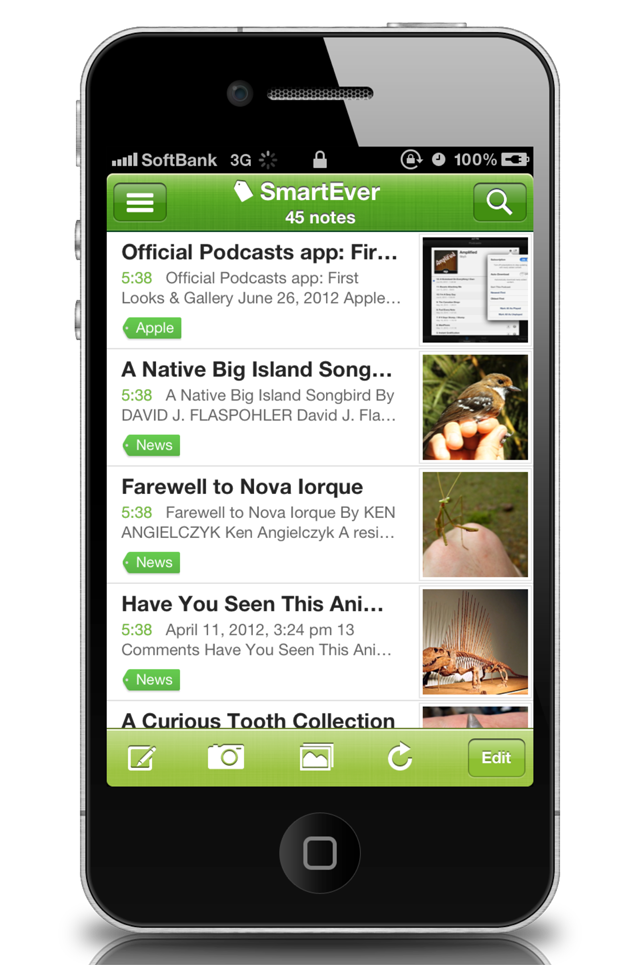
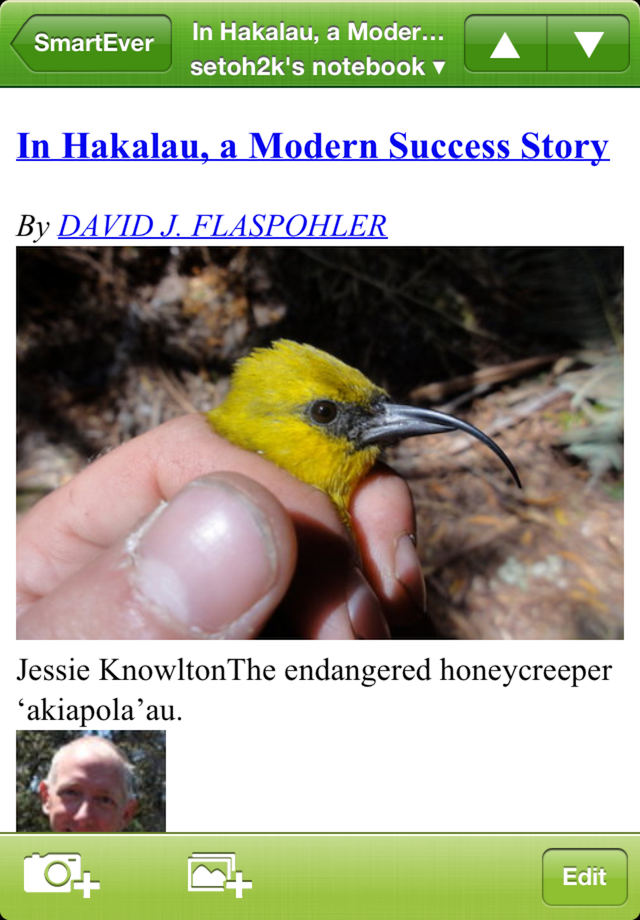
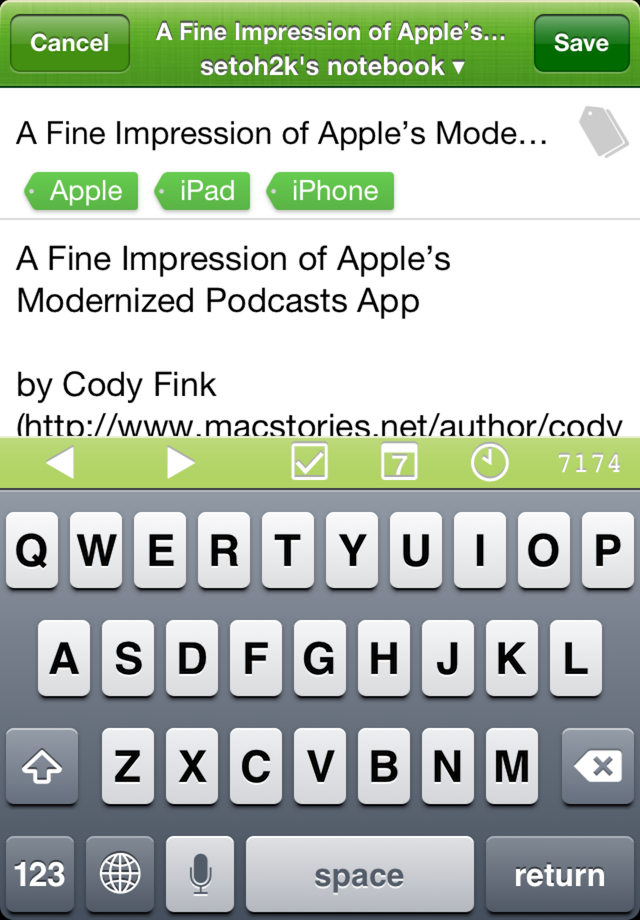
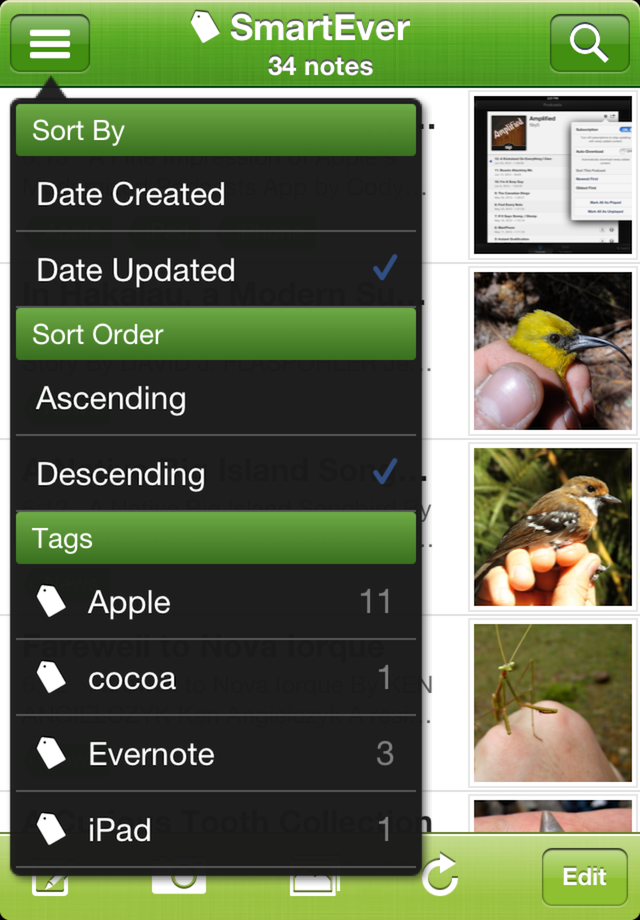
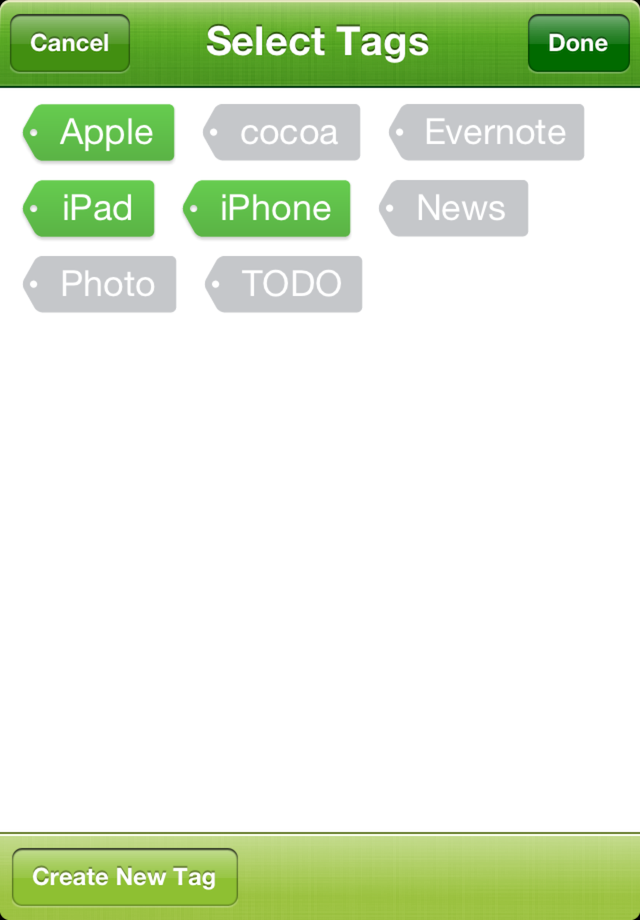
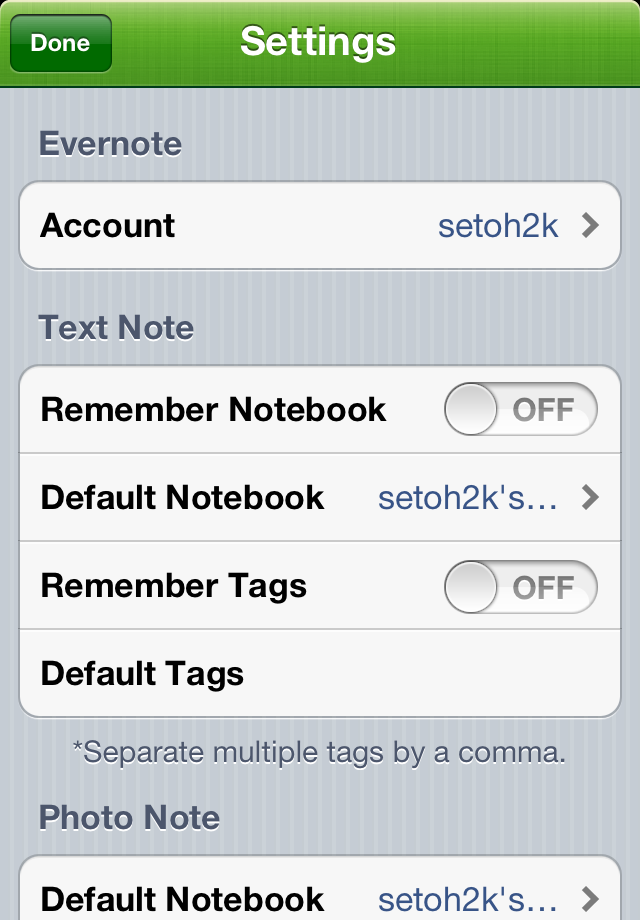
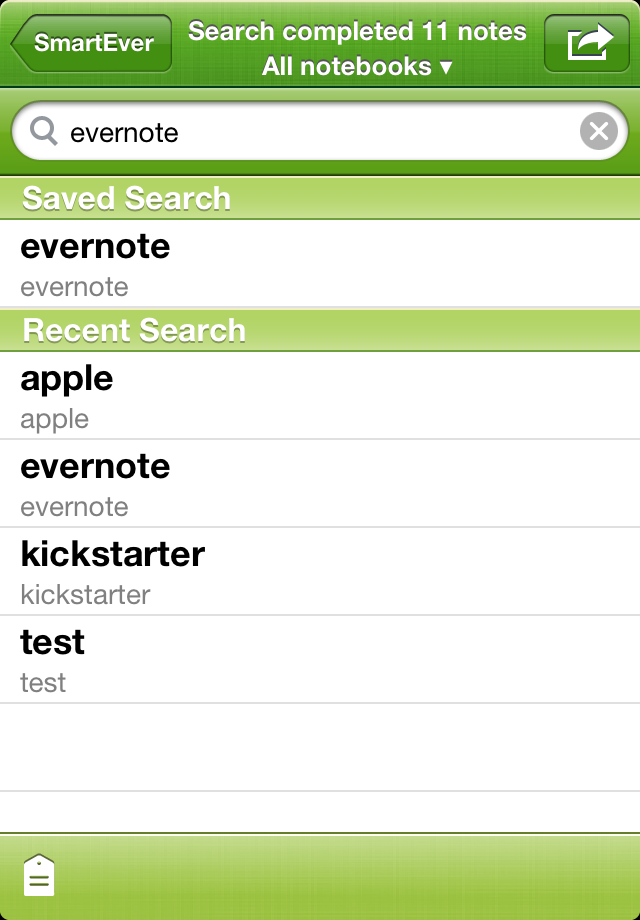
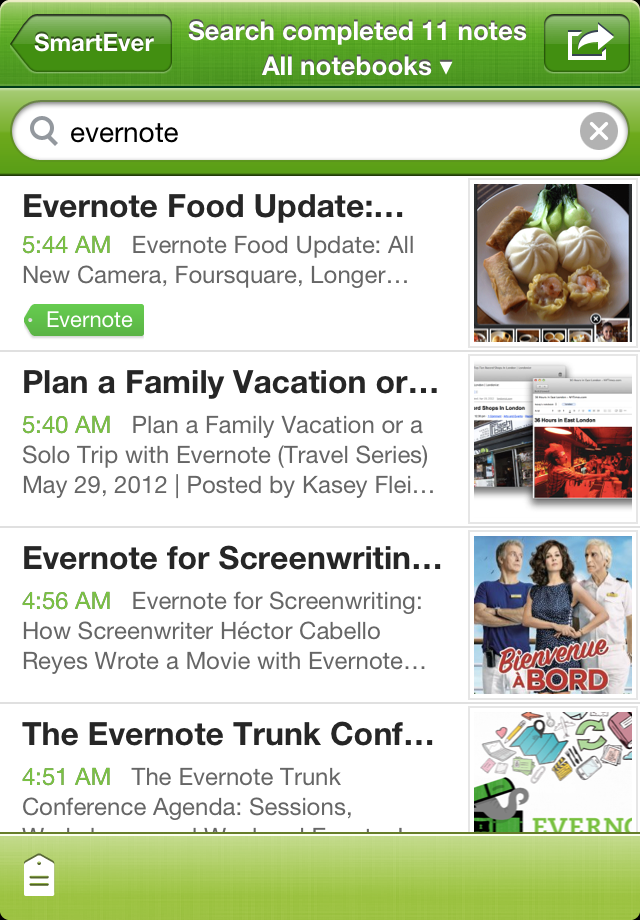
SmartEver is a lightweight Evernote client application that runs on iPhone.
Regardless of whether you are online or offline, you can easily save memos and photos without being aware of any synchronization taking place with the server. Stored memos can be edited as many times as you like.
All notes created with this application are automatically given a "SmartEver" tag. If you have a note that was created with a desktop client version or using another application, as long as it has the "SmartEver" tag, it will be fetched during synchronization. Not only can this application display text and photos, but it can also display web clips and notes with file attachments such as PDF files.
Switch notebooks by tapping on the bar at the top of the screen where each note is being displayed.
From the list screen, tap on a tag to narrow down the display so it only shows notes containing that tag.
Main Functionality:
- Create, edit text notes
- Create photo notes
- Add, edit memos on photo notes
- Add photo to notes
- Edit tags
- Change notebook
- Change to a format that allows editing of web clips, etc.
- High speed search with preview
- Display attachments such as PDF, Word, Excel files, and integrate with external applications
- Obtain GPS location information
- Obtain location information stored in photos
- Background synchronization
- Lightweight and easy to operate, reducing time lag as much as possible
- Saves searches / Recent searches
- Text notes, photo notes, default notebooks for each note type, and the ability to specify tags (can have multiple tags separated by commas)
- Refine results display based on tags
By default, the title of a text note is set to the first line of the note. You can set a title of your choice by entering it directly in the title field.
For photo notes, the title is set to the date and time when the photo was taken. If the photo was chosen from a camera roll or library, the date and time information is obtained from the photo’s EXIF information. If this information cannot be obtained then the current date and time is used. This date and time is also used as the note’s creation date and time.
23 comments
Chris White • almost 14 years ago
This looks quite good, I can't wait to try it!
Makoto Setoh • almost 14 years ago
SmartEver is now on AppStore!
Please check it out!
http://itunes.apple.com/WebObjects/MZStore.woa/wa/viewSoftware?id=493990103&mt=8
Makoto Setoh • almost 14 years ago
Please use these SmartEver promo codes.
YYWAP74FPRLJ
ANFETMK6LMYW
JFF7ALEJ7R77
6KRNFYNAE7YY
N4J7P363PTAP
If you used one of these, please a leave a message.
And of course please give us your vote!
Lindsey Holmes • almost 14 years ago
Hi. I used this one - JFF7ALEJ7R77. Excited to try.
Mark Prazoff • almost 14 years ago
Used N4J7P363PTAP. Any thoughts of an iPad version? Also excited to try iPhone version.
Hiroyuki Matsuda • almost 14 years ago
I used ANFETMK6LMYW. Thanks for the chance to try.
Makoto Setoh • almost 14 years ago
>Mark
Sorry, currently only iPhone version is available.
It seems all codes are taken.
Added 5 codes.
FYARPMFKJFTP
3HE49NNE9TP4
6JWH3MNXYTLH
YFL34XLJXJ9X
RA6K6NMJNFK7
If you used one of these, please a leave a message.
And of course please give us your vote!
Michelle Millar • almost 14 years ago
Used FYARPMFKJFTP. Excited to try.
Daniel Chang • almost 14 years ago
Codes were all taken again,too bad
Wanna have one if possible.
Makoto Setoh • almost 14 years ago
>Daniel
Thank you for your comment.
This may be the last!
7Y93HN363MR4
7JJLAE69X4WR
RP4N7AEKLPTM
93PKAHXKW94H
HPTHM7HFMKLA
Don't forget to give me your votes!!!
And Please share my app and this site on Twitter or Facebook!!
Daniel Chang • almost 14 years ago
Thanks a lot,Will definitely do that
Mark Prazoff • almost 14 years ago
Great quick entry, also way to keep Evernote favorites readily available.
Lukchard Suer • almost 14 years ago
is there any more promo codes? i want to test it before i buy it. promise will leave a comment
Makoto Setoh • almost 14 years ago
>Lukchard and others
I got promo codes of new version. (v1.1)
So please try !
63HJEFTY6FWW
NM4TPWPWXLKX
FAHNYET6AEJT
94KTFXP7973W
AAMXLMW4JNM9
PJJHWAMP4L3K
FJ3HFAM4ANEJ
MMXYHLW9EXWE
TYE6HEW4466M
NMNK7XNYXFNT
*NOTICE*
If you have installed v1.0 already,
Uninstall v1.0 before install v1.1.
(If you don't uninstall v1.0 before v1.1, Please reinstall v1.1)
There is a migration bug from v1.0 to v1.1.
Don't worry about this problem if you are first try.
There is no problem when clean install.
Lukchard Suer • almost 14 years ago
Thank you so much for your codes!
Lukchard Suer • almost 14 years ago
I tried the v1.1 in a short time.
1. the SmartEver just can manage the tag but not including folder (not shown in app), is it possible to show all the folders?
2. i have some notes sent from the Newsify(RSS Reader) and Pocket (read it later app), but those notes can't be tagged in the sending process. so they won't show up in the SmartEver immediately.
SmartEver is the best of all 3rd party EVERNOTE apps i used before !! thanks!
Cheerry Reid • almost 14 years ago
Hi, can I get a code for SmartEver ? Thx.
Lukchard Suer • almost 14 years ago
hi there,
i cant leave any comment or vote the smartever in appstore, it just told me "you don't own this app", but i've used it for several days since you gave me the codes.
Makoto Setoh • almost 14 years ago
>Hi, Lukchard
1. Did you mean you want to filter by notebook?
Now this app can't filter by notebook. only tags.
Sorry. but I will add the feature some near future.
2. You need to add 'SmartEver' tag to your note which create external app. When I test Newsify, that app doesn't have the feature of add tags you like.
How about Sylfeed as Google Reader app?
Sylfeed was made by my friend and very popular in Japan.
And also entered Evernote Devcup.
Please check this page first.
http://devcup.evernote.com/submissions/8448-sylfeed
About Pocket, you need to add 'SmartEver' tag every time you save to evernote. You should to email pocket support adding the feature of remember tags function or setting default tags function.
Anyway thank you very much!
Makoto Setoh • almost 14 years ago
Hi, Cheerry R and others!
Promo codes for SmartEver v1.1.1
J4H9EF7MNPN7
4KM49NNY6TYP
9WP79ML9LAJ3
3HNRANLN9FHP
RTNPNK6LNNTY
And ‘Evernote Trunk Conference Commemoration Sale’ is now underway.
http://setoh.wordpress.com/2012/08/21/evernote-trunk-conference-commemoration-sale-held-by-smartever-a-lightweight-evernote-client/
Please check it out and share your friend by Twitter and Facebook.
Thanks!
Lukchard Suer • almost 14 years ago
Hi, Makoto
thanks for your reply~
1. that's good! hope for your great job!
2. yes i did tagged the notes on my PC or Mac evernote client. then they show up on smartever~
3. Sylfeed seems so similar to yReader ! I will try it and thank you~
PS: i can't leave any comment in itunes for the smartever, just because my itunes account located in china?
Lukchard Suer • almost 14 years ago
hi again,
I found another matter, about the offline editing. few photos of my notes can't be offline caching. is that a problem with my photos, or the notes?
Cheerry Reid • almost 14 years ago
I used 3HNRANLN9FHP. Thank u sooo much.