
Rightnote - Keep your Evernote notes' in a tree outline
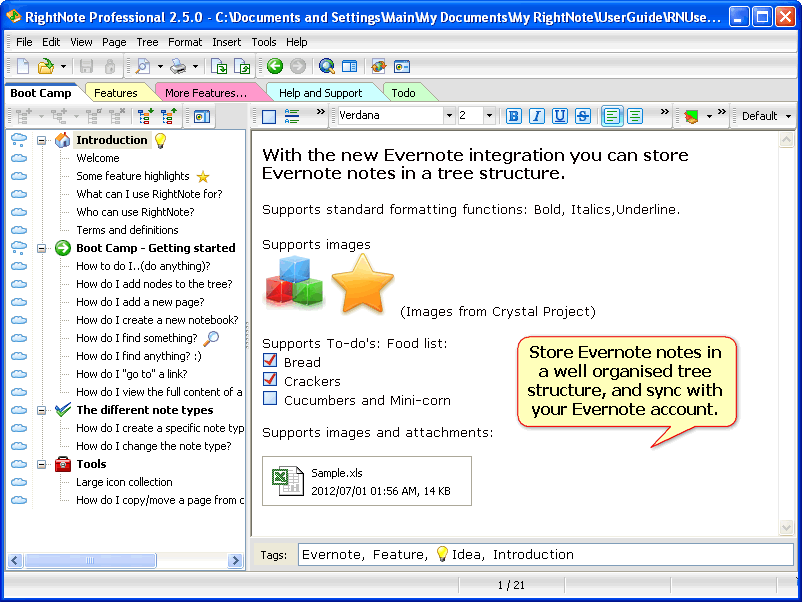
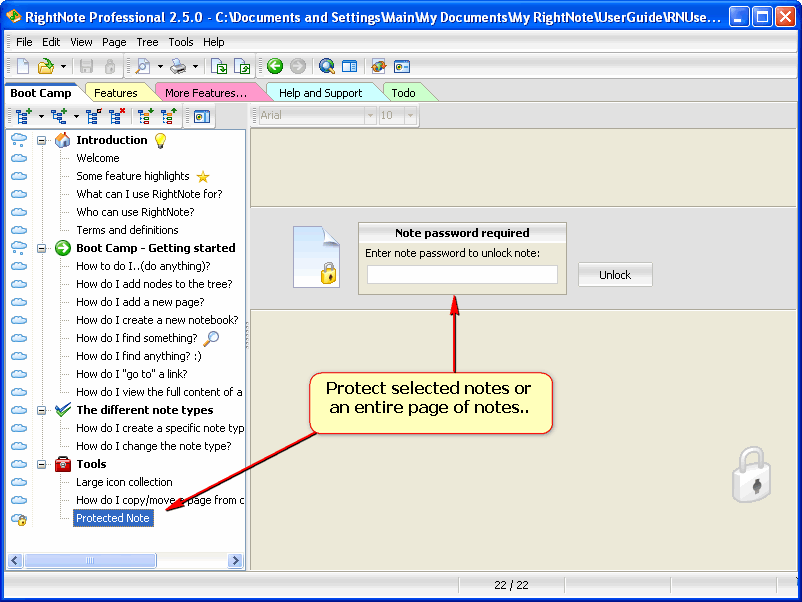
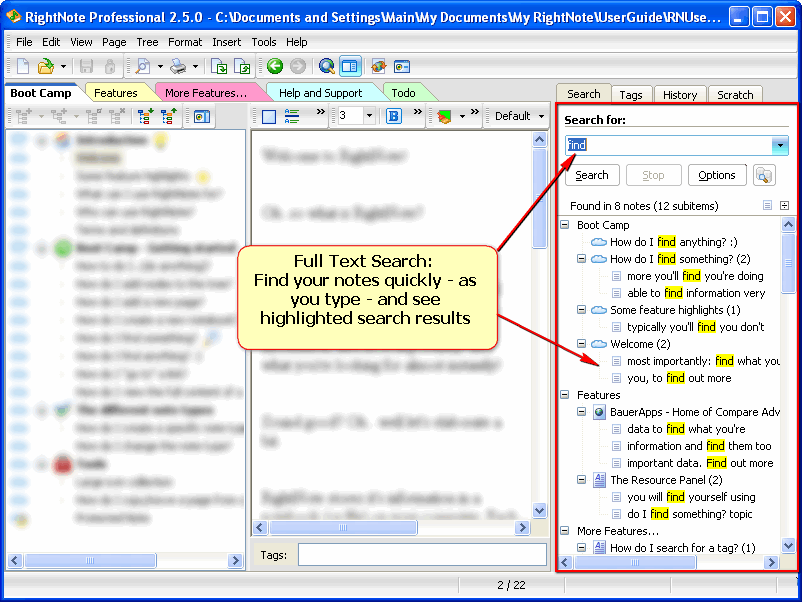

Rightnote is a tree based information manager which allows you to store your notes in an organised tree structure.
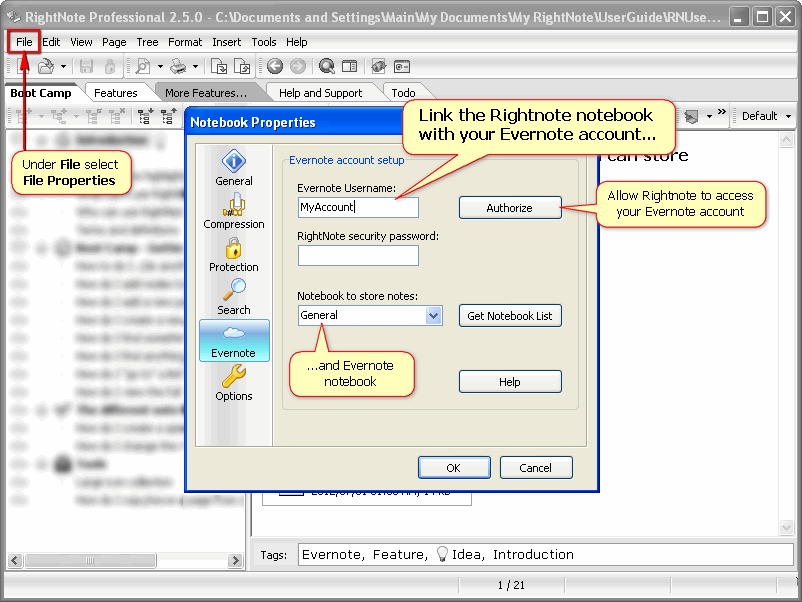
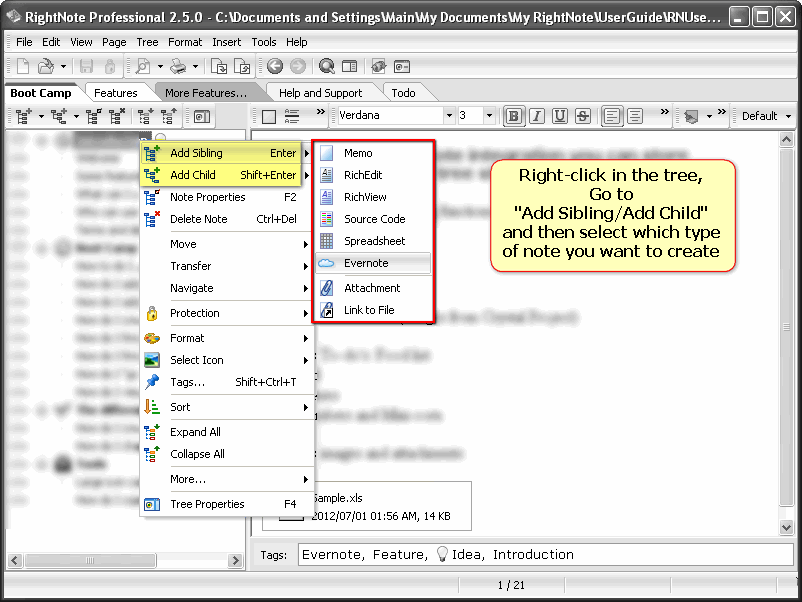
With the new Evernote integration, you can store selected Evernote notes in a well organised tree outline, and keep them in sync with your Evernote account at the same time. The Evernote note supports the standard Evernote elements such as locks, to-do's and attachments.
Rightnote also supports tags which are kept in sync with the Evernote tags.
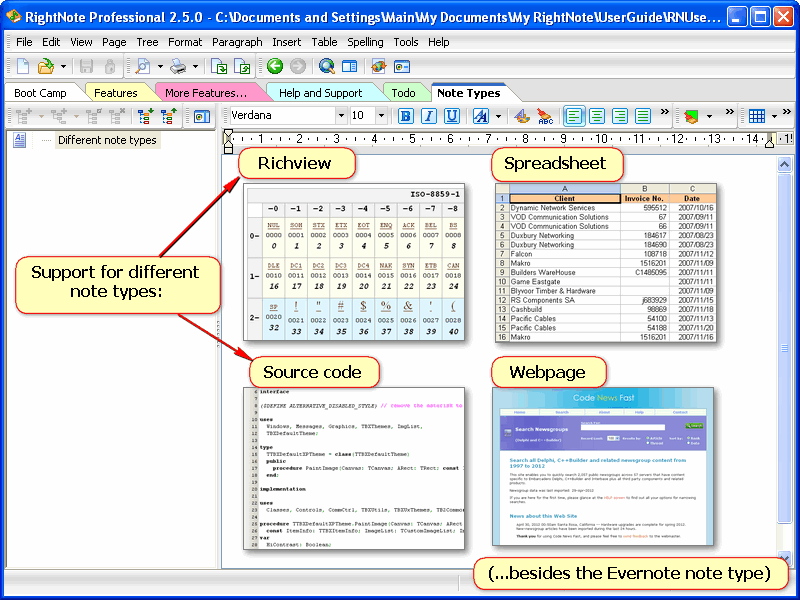
Besides the "Evernote" note type, the program supports other note types as well: A Richview note - for advanced text editing, tables, paragraph formatting. A Spreadsheet note - for lists or light-weight calculations. A Webpage note - store entire webpages in their original layout. A Source code note - common source code highlighters. (You can convert from one note type to another, but not for all types)
The "Side-by-side tree view" arranges trees next to each other so that you can easily move notes from one page to another or between different notebooks.
9 comments
A 123 • almost 14 years ago
Very exited about RightNote being able to sync with Evernote!
My use is that I have many simple text notes that I have written as opposed to clips from the web with images. These written notes I prefer to organize in levels with notebooks and trees with colour codes just like I would in a paper diary. And with RightNote I have all my data available locally without relying on the internet.
Right Note is rock solid, regularly updated by a responsive developer and very fast. And available as a portable application (no install) so I can use it everywhere, at work, at a public place etc. These are just a few of the reasons I prefer it over slow, internet dependent and desktop installation only Evernote (why did Evernote abandon the no-install version?, I know it runs on IOS and Android but at work I can't use it on my desktop computer).
Now that RightNote can 'talk' with Evernote I will start backing some of these written notes up so that I can have access on my iphone.
Votes please!
Rael Bauer • almost 14 years ago
Hi A1,
Thanks for the comment. The Evernote integration does open up new possibilities for RightNote as well as Evernote users.
Not sure what you mean by "slow". I find the Evernote client to be very snappy.
Vikram Sujanani • almost 14 years ago
Very nice that you providing - cloud support, and tree for evernote notes.
But a downer is that it will require Evernote Premium.
Rael Bauer • almost 14 years ago
Hi Vikram,
Why do you say that? The Evernote integration works the same with any Evernote account - Free or Premium.
A 123 • almost 14 years ago
Rael: when I say slow for Evernote I mean that when I am in the webbrowser and I select some webpage content and clip to Evernote it takes a second or two to send it into Evernote and get the confirmation window popping up, it just seems that little bit faster when I clip to my local RightNote notebook (I have it as a portable app on an external HDD I carry around). The same is true when I try to access my notes, it just is a bit faster in my local RightNote app rather then refreshing webpages especially when editing. So yes, EverNote over the web is fast but local RightNote is a little bit faster and this matters when I am processing/editing/organising notes and planning my actions and to-do's.
Vikram: I was also confused about Pro being mentioned in the description of the EverNote-RightNote integration. I think Pro refers to the pro version of RightNote.
Rael Bauer • almost 14 years ago
Hi A1,
Thanks for the clarification. I now understand exactly what you mean.
Vikram Sujanani • almost 14 years ago
This is from the email I received:
> This means you can now create "Evernote" notes (i.e. notes of the "Evernote" note type) and then sync them up with your Evernote account (pro version) - and you can then access them from anywhere
Notice the pro version mention besides "Evernote account" - this made me think that RightNote - Evernote integration will require Evernote Premium.
Rael Bauer • almost 14 years ago
I see what you mean - didn't realise it when I was writing the message :), the "pro" was referring to the "sync", not Evernote account, as I think you've gathered by now.
At this point I will mention a small bug that was introduced just before we made the release: In the Evernote settings, you need to keep the "RightNote password" field blank for the sync to work. Will be fixed for next release.
Thanks
Vikram Sujanani • almost 14 years ago
@Rael B: Thanks - thats great then. Will download RN just now.